Add GL Accounts to Vendors & Contracts
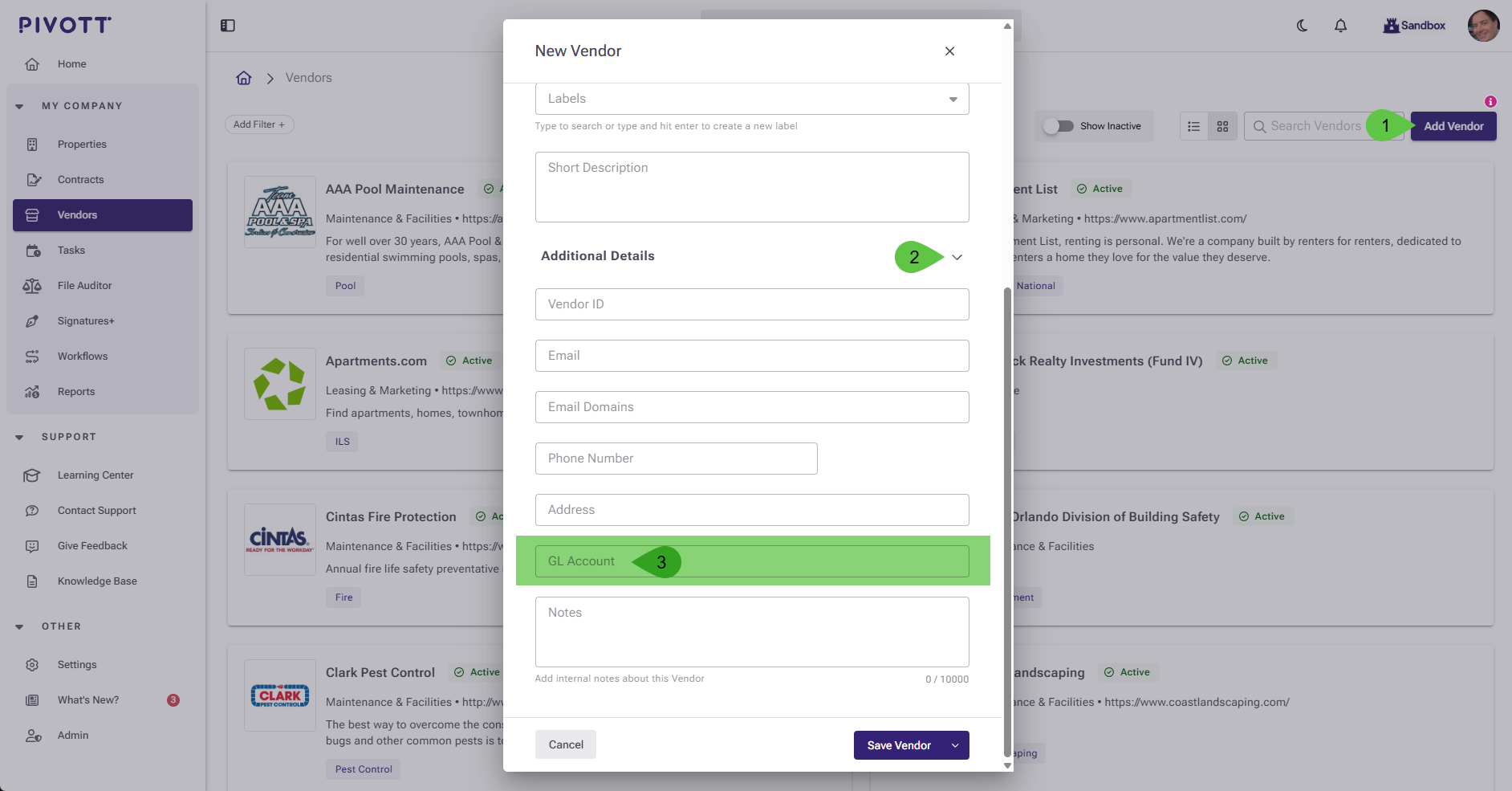
Add GL to Vendor
- Open any vendor (new or existing)
- Scroll/unhide sections until you see GL Account
- Type the GL Account Number (e.g. 99999-000)
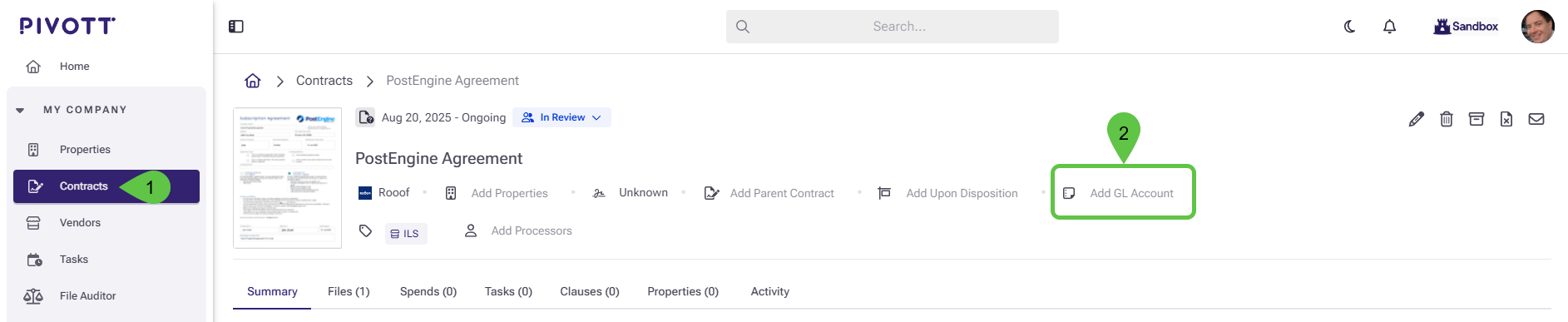
Add GL to Contract
- Click Add GL Account on the contract header
- Type the GL Account Number (e.g. 99999-000)
Edit Existing GL Number on Contract
- Open an existing contract
- Click the pencil icon ✏️to edit
- Scroll/unhide sections until you see GL Account
- Type the GL Account Number (e.g. 99999-000)
No results found

