
Log in with Microsoft 365 SSO
In this article
Microsoft 365 SSO (Single Sign-On)
What it looks like when approval is required from your IT team
Microsoft 365 SSO (Single Sign-On)
Pivott supports single sign-on (SSO) with Microsoft 365. If your Pivott and Microsoft 365 emails match, simply click Log in with Microsoft to sign in automatically.

What it looks like when approval is required from your IT team
Some organizations that use Microsoft 365 require approval from their IT team before users can sign in to an app using single sign-on (SSO).
When approval is needed, you’ll see a message like this:
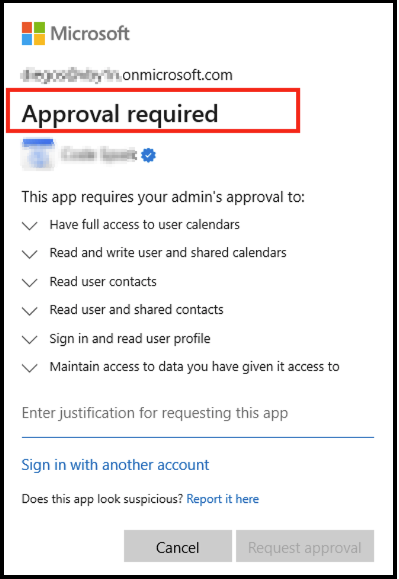
Please fill in the justification section and click Request Approval so your IT administrator can take action on the request.
Troubleshooting
For more info, see: For IT Admins: Microsoft 365 SSO Consent Requests